
Better on Bedrock
Beginners Guide
This guide will only point out how to install the Add-On, what the configs do, and a basica idea of what you can expect.
Set Up
Downloading
You either downloaded the Add-On from MCPEDL or Modbay.
Importing
Once you have downloaded the Add-On, the file will end with .zip. Simply rename the file and replace .zip with .mcaddon. Once done, you can open the mcaddon with Minecraft.
Android 12+ will not recognize Minecraft for .mcaddon files. Download Third-Party file explorers like ZArchiver.
Adding to your world
Create a new world. Configure the world how you like, and enable ONLY beta-api experimental toggle Add the resource pack and behavior pack to your world and load your world.
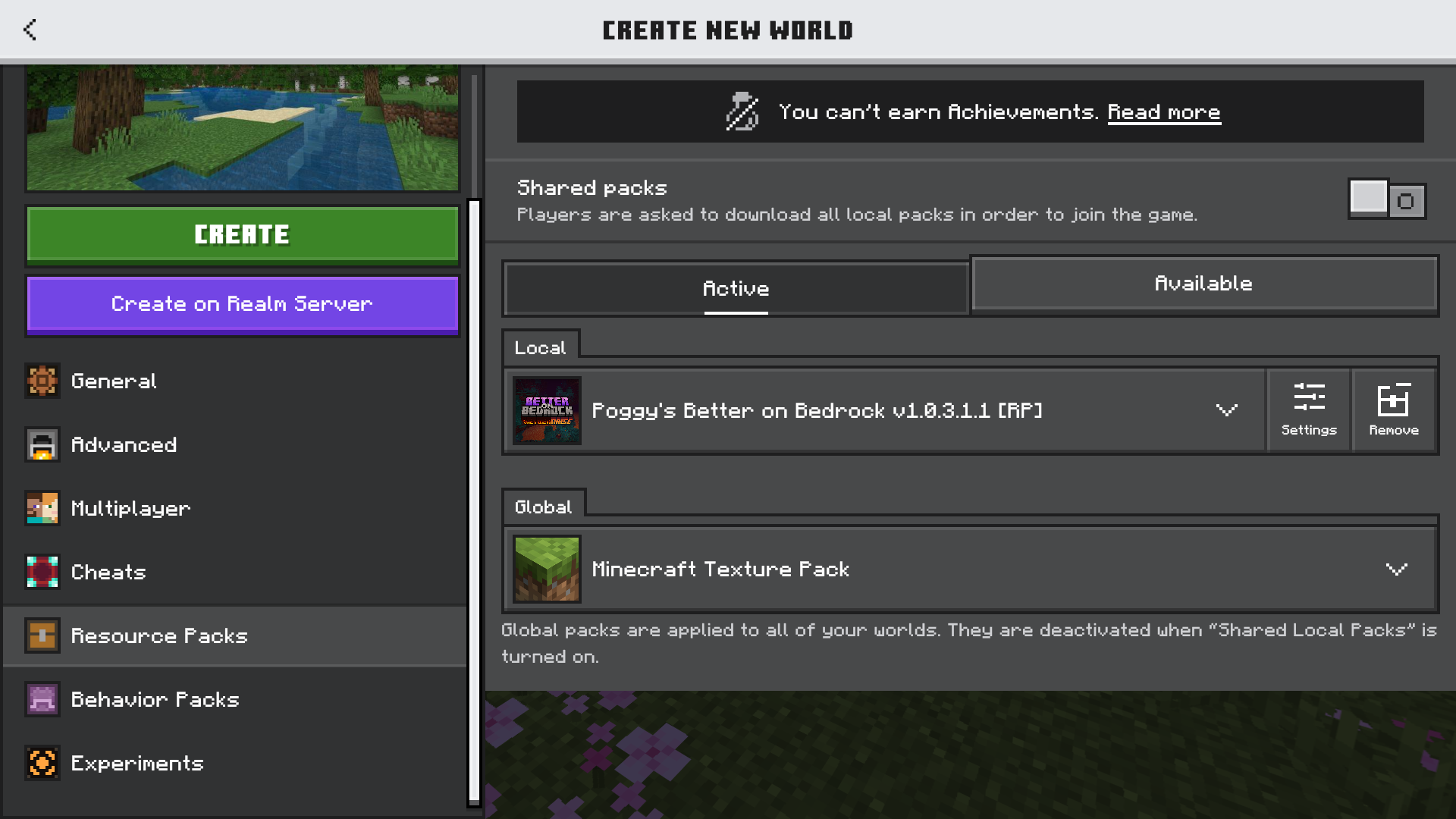
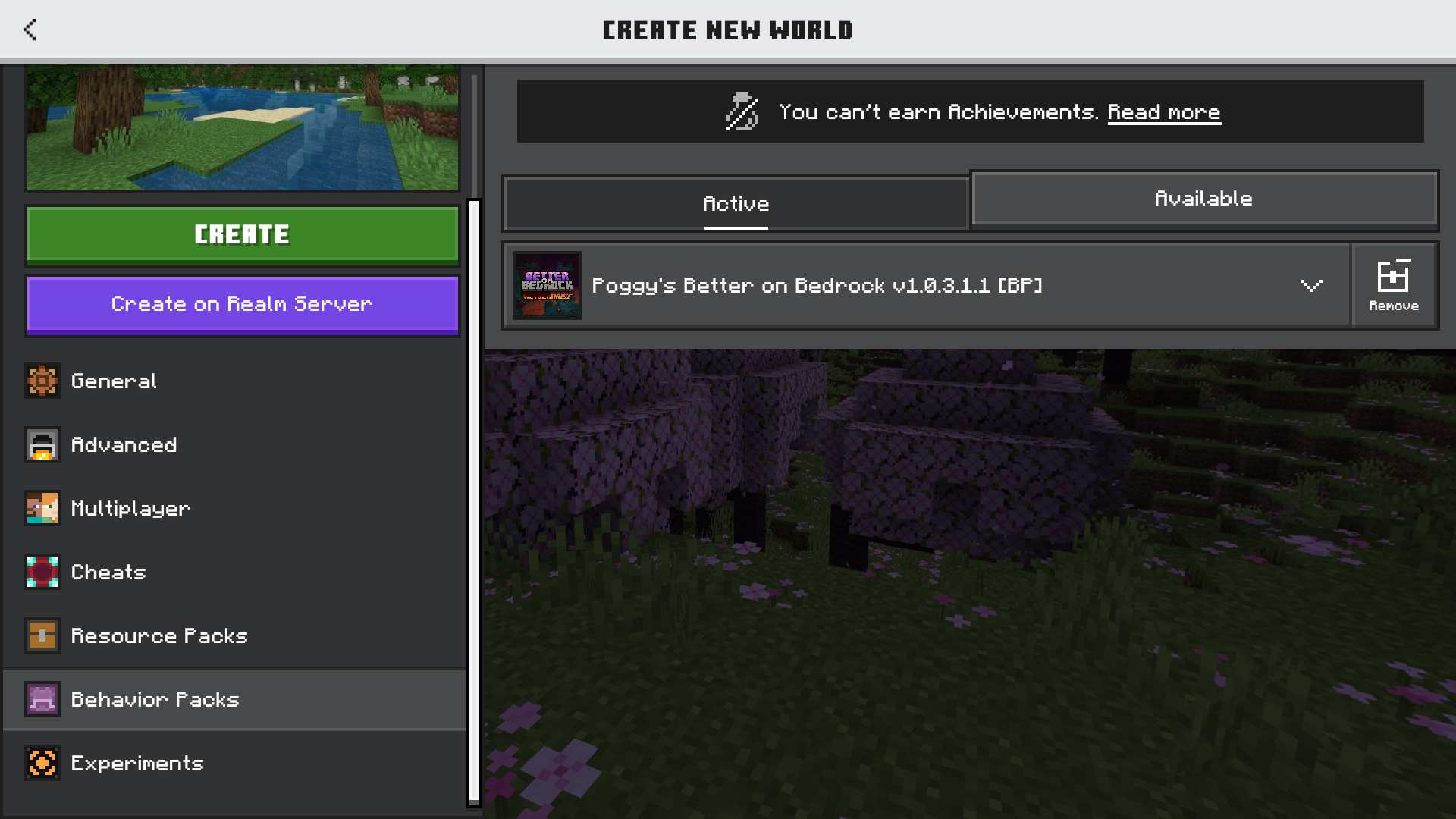
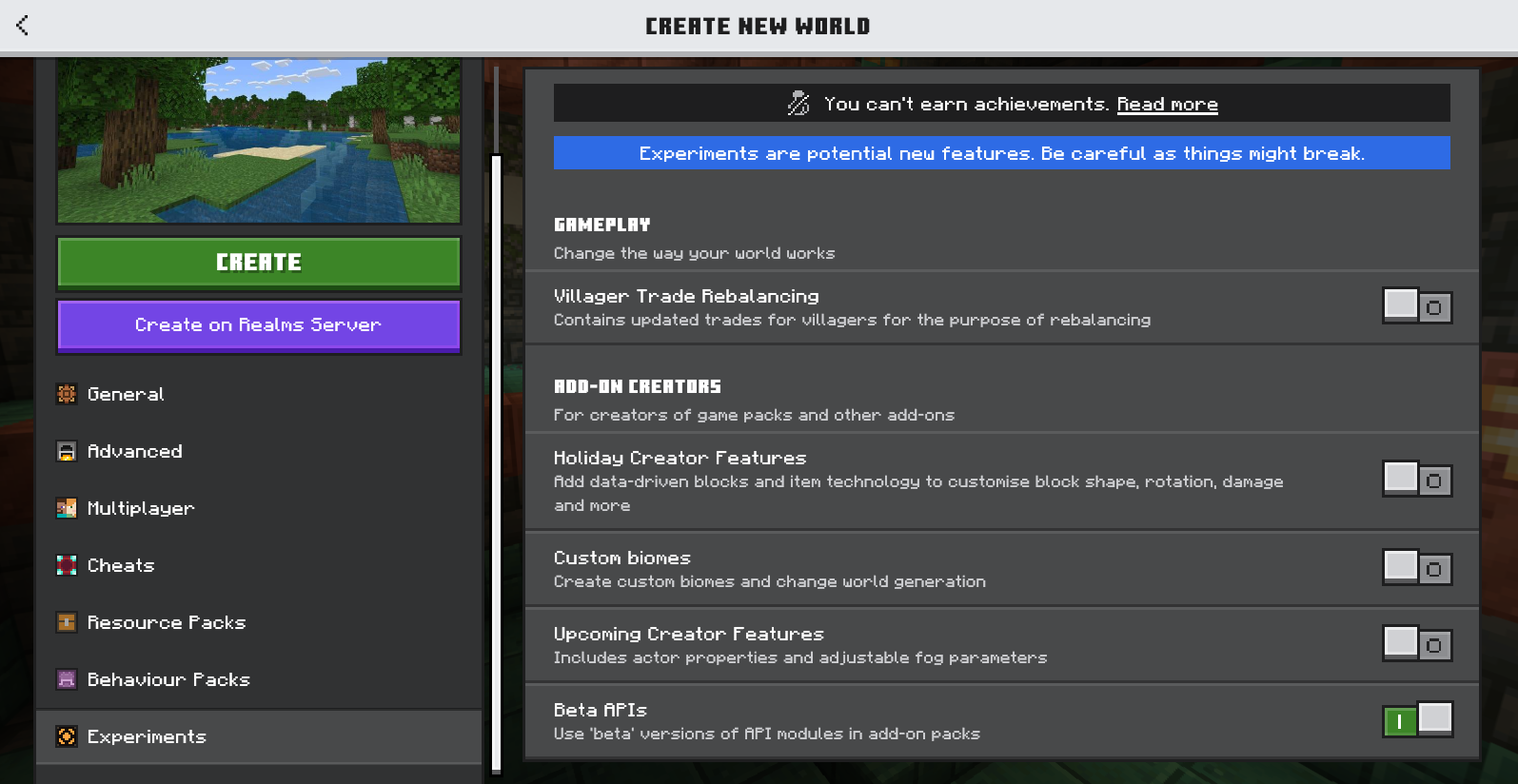
Add-On config
What it does
You will notice that you have items in your inventory.

Do not fear, these items are there to help you. The Config item is where you can toggle various options.
- Player Corpse
- Enables Player Corpse
- Poggy's WAWLA
- Enables Poggy's WAWLA UI
- Starter Items
- Gives you started tools. Can only be used once.
What to do now
Once you're set, you can enjoy the Add-On. You can toggle the options via the Config item at any time.
A Tip
As a new player, you should use the Quest Scroll to learn anything about the Add-On. If you're stuck on what something does, refer to this wiki.